CV maker: from the file you have to a finished PDF
Upload the CV you already have, start blank or build from your career profile. Then check every section, choose a design and download your CV as a PDF in two versions.
How the CV maker works
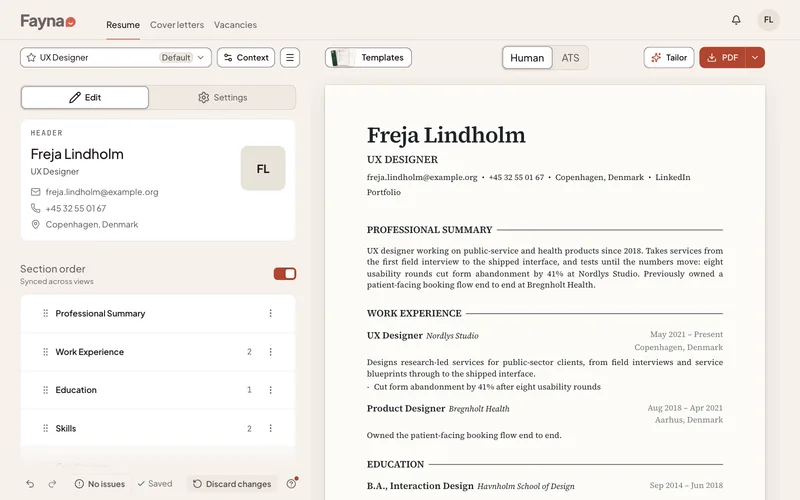
Fayna's CV maker takes you from a starting point to a downloaded PDF in one editor.
- Start your document. Upload a DOCX or PDF file you already have (up to 4 MB), start blank, or create one from your career profile. If you prefer, pick a design first.
- Edit section by section. The form sits next to a live preview of the page, so you see each change as you make it.
- Choose a design. Browse the gallery, see each design on your own content and switch whenever you like. Your content stays the same.
- Download a PDF. Choose the ATS version or the Human version. Each is its own download.
The entries of every résumé you upload or write are kept in your career profile. Your next CV can reuse them instead of starting again.
Upload the CV you already have
If you have a CV in Word or PDF, you don't need to retype it. Upload the DOCX or PDF file (up to 4 MB) and AI reads it into editable sections: your contact details, summary, work experience, education, skills, languages and any other sections your file has.
The result opens in the editor. Check and correct every section before you go further. You know your own career, and the editor puts each part in front of you to confirm.
Two versions of the same CV
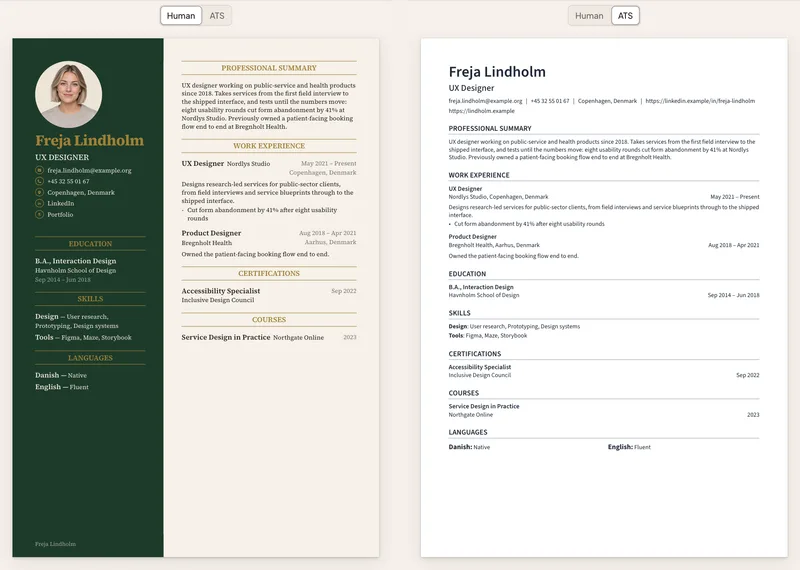
Every document in this CV builder has two versions with the same facts:
- ATS version: a plain layout for online application forms.
- Human version: a designed layout for the people who read your CV.
You write your content once and both versions use it. If a section belongs only in the version people read, you can leave it out of the ATS version. Both download as PDFs, one file each.
Market, language and design
The Context settings of the editor list the target market first, then the content language, then the format preset. The market decides which personal details and sections the form expects, and which sections the ATS version leaves out. That is why you choose it before you design.
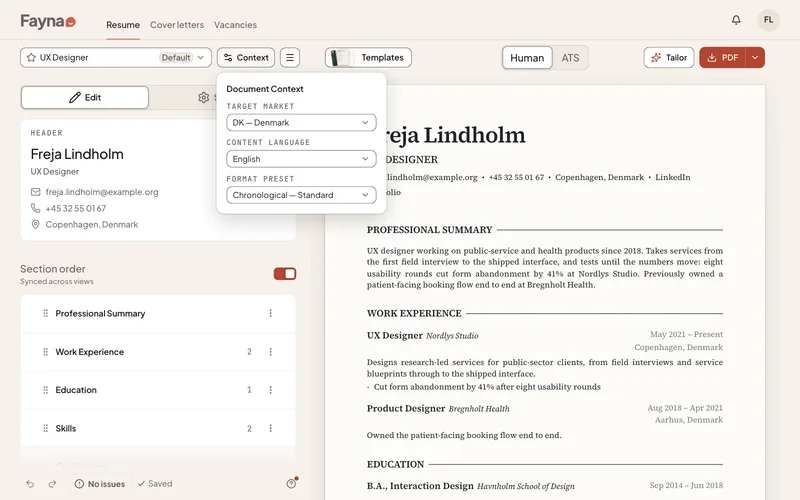
You can write the content in 13 languages and set the language of each document yourself.
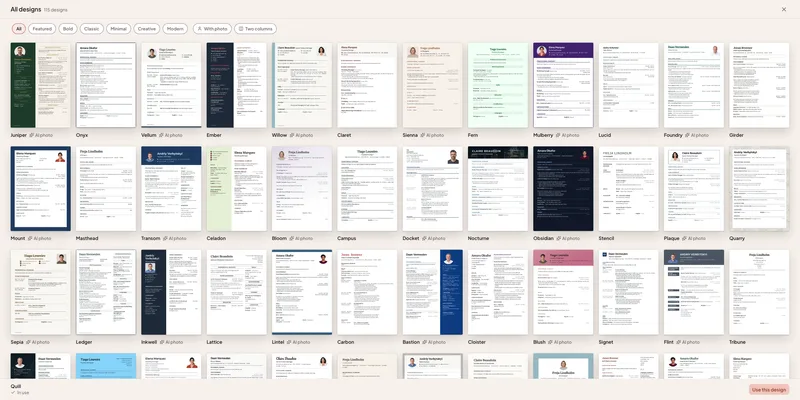
Designs come from a gallery, and you see each one on your own content. Changing the design later does not change what you wrote. You can browse the designs on the CV templates page. If you are unsure which document an employer wants, see résumé vs CV.
What the free plan includes
You can use Fayna as a free CV maker, limited to one résumé or CV, with unlimited editing. The free plan includes:
- every résumé design;
- PDF download of both the ATS version and the Human version, with no watermark;
- reading an uploaded CV file, up to a monthly limit.
A paid plan adds more résumés of your own. It also adds more AI tailoring and AI cover letters each month for the jobs you save. Read more about tailoring a résumé, the cover letter generator and the job application tracker.
Related
Questions about the CV maker
Yes, within limits. The free plan covers one résumé or CV, with unlimited editing, every résumé design, and PDF download of both versions without a watermark. Reading an uploaded file is included up to a monthly limit.
You can upload a DOCX or PDF file of up to 4 MB. AI reads it into editable sections, such as contact details, work experience, education and skills. You then check and correct each section in the editor.
No. You can start blank or create a document from your career profile. You can also pick a design before you write anything.
Both versions hold the same facts. The ATS version is plain and made for application forms. The Human version is designed for people to read. You can leave a section out of the ATS version, and each version is its own PDF download.
Yes. You can change the design at any time and see it on your own content. Your content stays the same when you switch.
The content can be written in 13 languages. You set the language of each document yourself in the editor's Context settings.
The market decides which personal details and sections the form expects. It also decides which sections the ATS version leaves out. It comes first in the editor's Context settings, before the content language and the format preset.
Yes. The entries of every résumé you upload or write are kept in your career profile. A second résumé or CV can reuse them.
Start your CV
Upload the file you have, or start blank.