UK CV format: the conventions for a CV in the United Kingdom
A CV for the United Kingdom leaves out several personal details that other markets often include. Here is what the UK convention covers, and what Fayna does about each point.
What the UK CV format leaves out
The UK CV format is mostly about what a CV does not show. These are the conventions Fayna uses for a CV aimed at the United Kingdom:
- Photo: left out.
- Date of birth: left out.
- Nationality: left out.
- Marital status: left out.
- Address: city only, not a full street address.
- References: no referee details. A closing line "References available on request" is optional.
If you are used to a CV from another country, the personal details section is where the UK curriculum vitae format differs most. Your name, your city and your experience carry the page; the personal details stay off it.
The rules Fayna applies for the United Kingdom
- Do not include
Fayna warns you in the editor
- Do not include
Fayna removes it from the exported CV
- Do not include
Fayna removes it from the exported CV
- Do not include
Fayna removes it from the exported CV
- City only
Fayna warns you in the editor
- Month optional
- On request
Fayna applies this by default
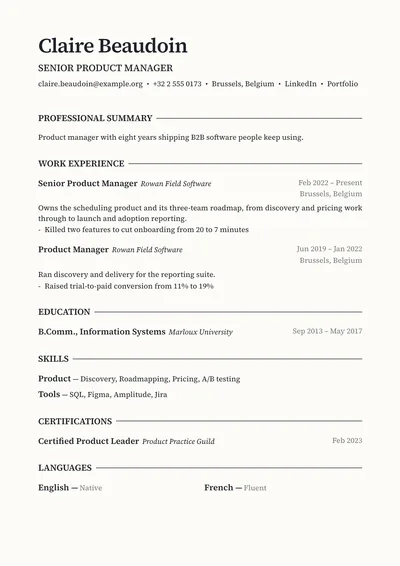
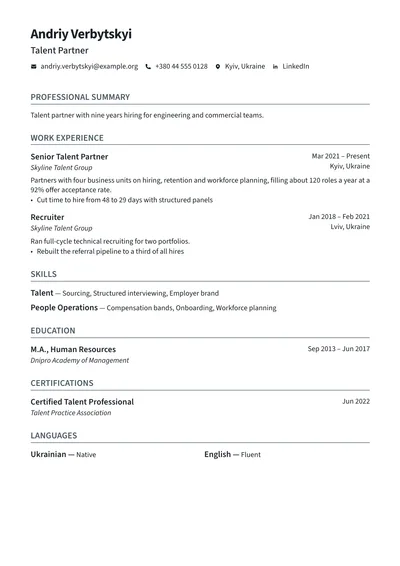
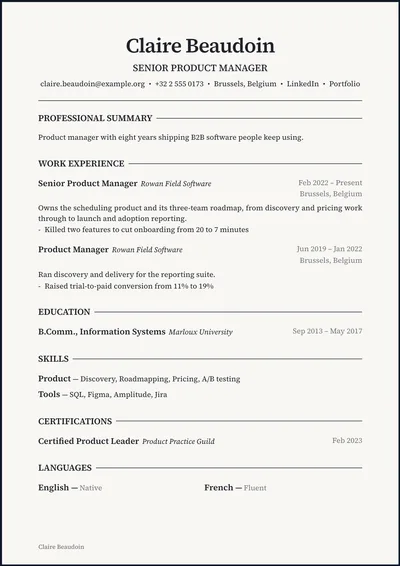
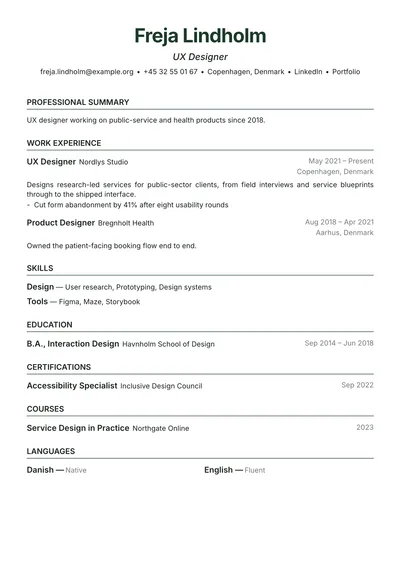
CV designs without a photo
Four restrained, text-led designs that show no photo. Each opens in the viewer with sample content.
Restrained, text-led designs that show no photo.
What Fayna does for each convention
Fayna handles these conventions in different ways. Some fields are left out for you, and for others the editor shows a warning and leaves the choice with you.
Left out for you
- Date of birth, nationality and marital status: Fayna leaves these fields out of the résumé preview, the PDF export and AI tailoring.
Warnings in the editor
- Photo: the editor warns when a photo is shown, because this market does not use photos. The photo is not removed; you decide whether to keep it.
- Address: the editor warns when the location holds a full street address, since the UK convention is city only.
- References: the editor does not warn about a References section. UK careers guidance says to give no referee details, and treats a closing line "References available on request" as usual and optional. The ATS version leaves the section out by default.
Where the target market is set
In the editor, a résumé's context settings list the target market first, above the content language and the format preset. Setting it to the United Kingdom is what applies the behaviour described above.
A sample UK CV format, as a checklist
Before you send a CV to an employer in the United Kingdom, go through this list:
- No photo on the page.
- No date of birth, nationality or marital status.
- Your location shows your city, not your street address.
- No referee details. A closing line "References available on request" is optional.
For a UK CV layout to start from, browse the CV templates. If you are not sure whether you need a CV or a résumé, see résumé vs CV.
Sources
The UK conventions on this page follow public careers guidance:
- National Careers Service: CV sections: what to leave out of your contact details: age, date of birth, marital status and nationality.
- Prospects: How to write a CV: date of birth and photo.
- References (no referee details; the closing line "References available on request" is optional): the sources above, and the careers services of the universities of Reading, Westminster, Dundee and Nottingham.
The matching cover letter
Start a CV for the United Kingdom
Choose the United Kingdom as the target market in your résumé’s Context settings, and the editor applies the rules above.
Questions about the UK CV format
No. The UK convention leaves the photo out. If your CV shows a photo while the United Kingdom is your target market, the editor warns you, but it does not remove the photo; the choice stays with you.
No. Date of birth is left out of a UK CV, and so are nationality and marital status. Fayna leaves these fields out of the résumé preview, the PDF export and AI tailoring.
Your city only. If the location field holds a full street address, the editor warns you about it.
No referee details. A closing line "References available on request" is optional, and UK careers guidance treats it as usual. The editor does not warn about a References section, and the ATS version leaves the section out by default.
The CV templates page shows the designs you can use for a CV. Choose one there, then set the United Kingdom as the target market in the context settings.